
Homepage Secrets
Ta treść nie jest jeszcze dostępna w twoim języku.
What are Homepage Secrets?
Section titled “What are Homepage Secrets?”When you set up a custom domain, the address — for example
secrets.yourbrand.com — has its own homepage. Homepage Secrets is the
setting that controls whether visitors to that homepage can create and share
secrets directly from your branded interface.
You manage this from your Domain Dashboard at any time. The setting is domain-specific, so each of your custom domains can behave differently.
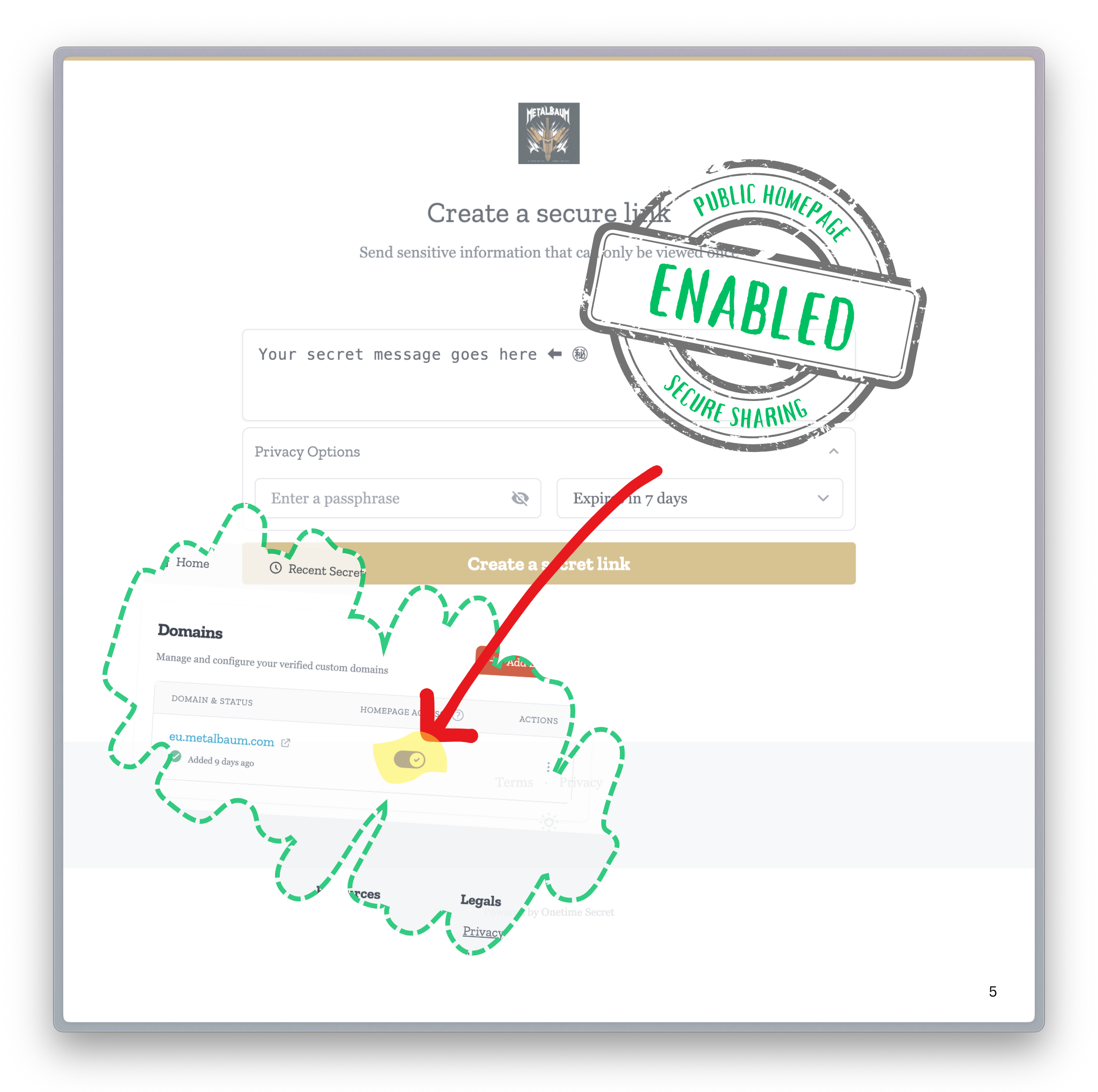
Allow public secrets
Section titled “Allow public secrets”On your Domain Dashboard you can configure the visibility of your branded homepage. Enabling this feature allows your clients, customers, or team members to create and share secrets directly from your branded interface.
Disable homepage
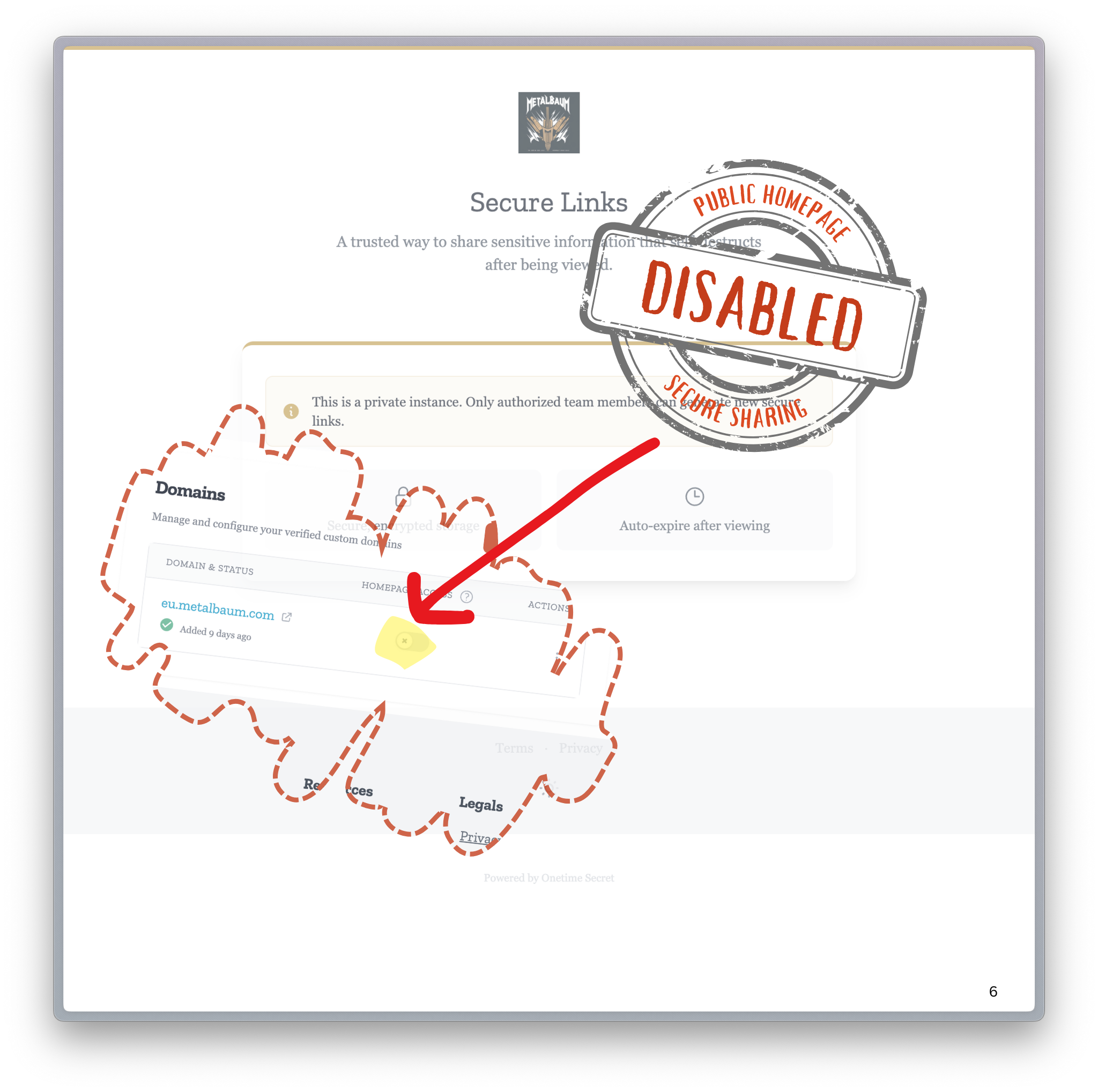
Section titled “Disable homepage”If you would rather use your custom domain only for the secret links you generate yourself — and not present a public secret-creation page — you can disable the homepage entirely.
Important notes
Section titled “Important notes”- Changes process immediately upon saving.
- Allow up to 5 minutes for CDN cache refresh.
- Settings are domain-specific.
Related features
Section titled “Related features”- Brand Guide — customize the logo and colors shown on this homepage.
- Incoming Secrets — let people send secrets to you, rather than create their own.
- Privacy Options — additional controls over what visitors can do.
Questions or Need Support?
Section titled “Questions or Need Support?”We’re here to help.
- Email: support@onetimesecret.com
- Feedback form: https://onetimesecret.com/feedback